

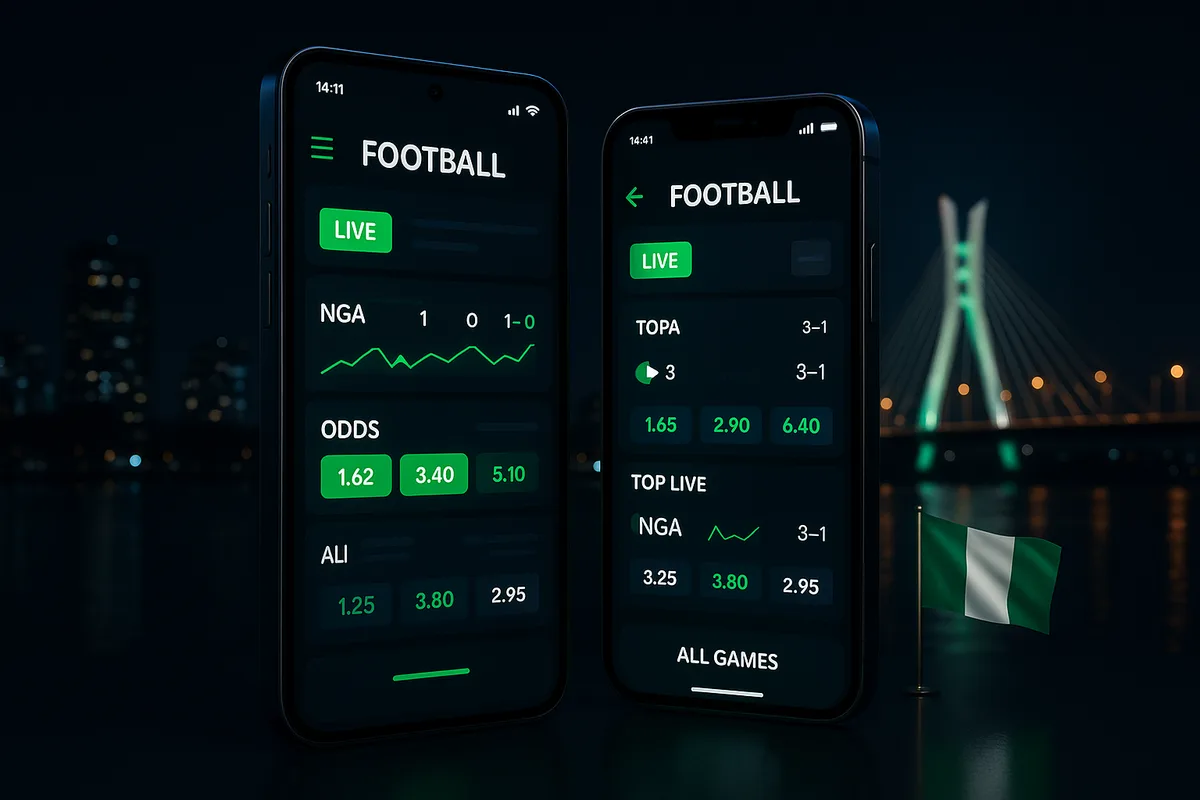
What does 1win look like on an Android phone?
Both buttons open the official 1win site for Nigeria. On iPhone, 1win runs in Safari; add it to your home screen as shown below. 18+.
Tapping Withdraw on 1win’s phone site opens an “Identity verification” screen before any payout form appears. That small detail says a lot about how the 1win app experience works in Nigeria. What we tested is not a store download but the responsive 1win.ng site running in your Android browser, with a bottom bar reading Menu / Home / Casino / Free money / Sports and a dark theme by default. We went through it screen by screen in October 2026: the registration form, the login tabs, the deposit window and the live lobby. No real money was deposited or withdrawn. What follows is what the phone actually shows, what it hides, and who should pin it to their home screen. If the layout suits you, you can open a 1win account from your phone browser.
On an Android phone, 1win.ng opens as a responsive website. The mobile site also shows a “1win for Android” entry; we did not install it, so this page covers the browser version we tested.
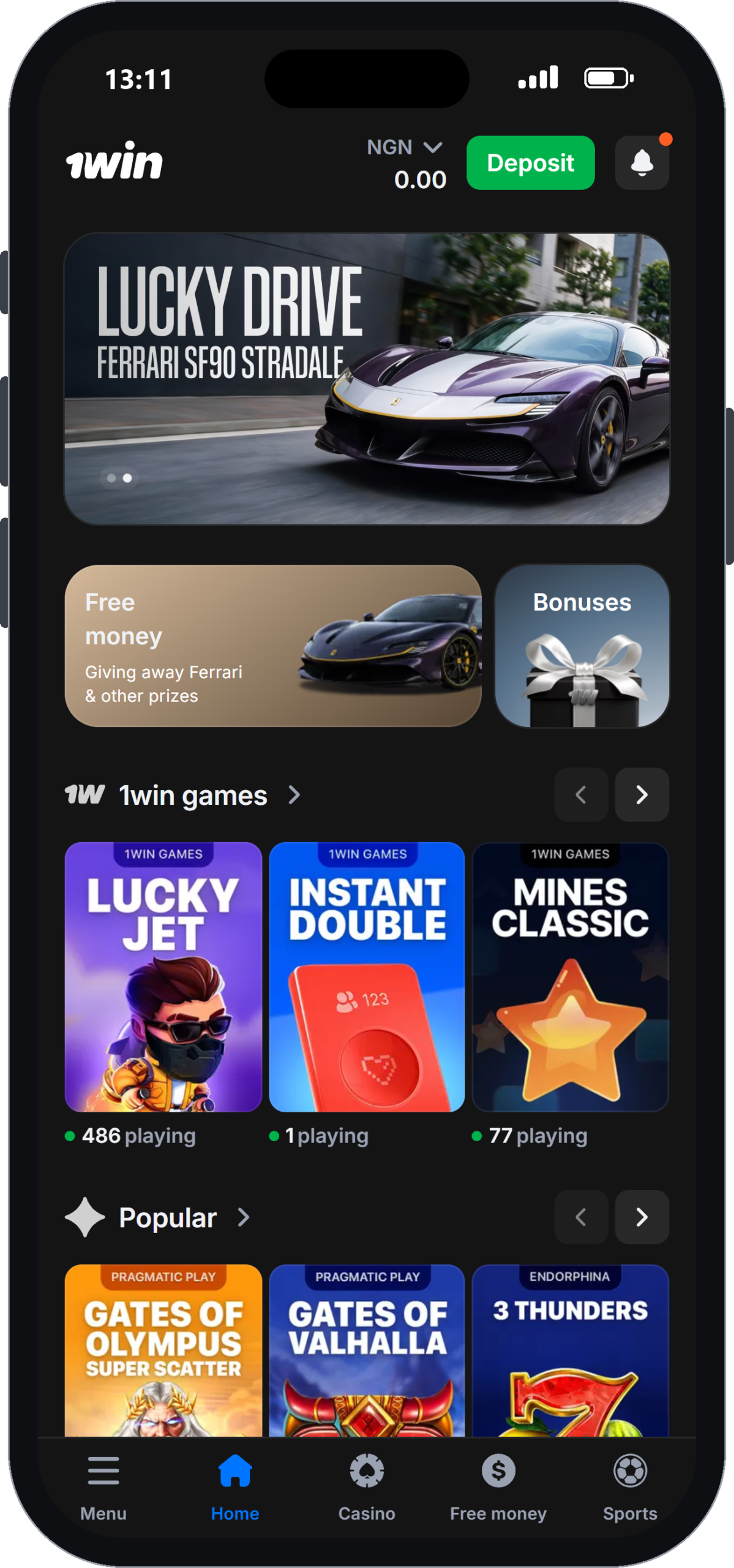
It loads in a dark theme with a fixed bottom bar: Menu, Home, Casino, Free money and Sports. Casino, Sports, Bonuses, VIP Club, Promotions, Tournaments, Trading and Poker are each one or two taps away.
You might expect a separate 1win betting app and 1win casino app. On the phone, both are the same site. Sportsbook and casino sit under one menu. Inside the casino you switch between Lobby, Live Casino and Quick games tabs.
The live lobby holds 115 games from Evolution and Pragmatic Play Live. When we checked, Pragmatic’s Roulette showed 50 players, 1WIN ONE Blackjack had 36 and Evolution Blackjack had 32. The game shows row carried Crazy Time, Funky Time and Sweet Bonanza CandyLand. On the home screen, Lucky Jet was running with 486 players. The live lobby does not list minimum stakes, so you only see a table’s limits after you open it.
No deposit limits on the phone, and self-exclusion locks the account for six months
The mobile account settings let you self-exclude, but they offer no deposit, loss or session limits. Self-exclusion is the only control. Once it is on, the account cannot be reopened for at least 6 months.
On a phone this matters more than on a laptop. The cashier sits two taps from any game, and the minimum deposit is low. There is no way to cap a week’s spending at a figure you choose. Your only options are carrying on unchecked or locking yourself out for half a year. There is no middle ground.
The self-exclusion form sits in the account settings, or you can request it through [email protected]. The Responsible Gaming page links to GamCare, GambleAware, GamblePause and Gamblers Anonymous. For a site built around quick crash rounds like Lucky Jet, that is a thin toolkit.
Our practical fix is to set limits outside the site. Use the spending limits in your bank or Opay app before you fund the account. Our responsible gambling guide for 1win players covers the self-exclusion steps in full.
Can you get a home-screen icon without leaving the browser?
Yes. Any phone can pin 1win.ng to its home screen as a shortcut, and it opens straight to the mobile site. Searches like “how to download 1win app” or “1win official site download” end up at the same answer: the shortcut behaves like an app icon but runs the site you already use.
On Android (Chrome):
- Open 1win.ng in Chrome.
- Tap the three-dot menu at the top right.
- Choose “Add to home screen” and confirm the name.
- Launch 1win from the new icon. The bottom bar and dark theme load as normal.
On iPhone (Safari):
- Open 1win.ng in Safari.
- Tap the Share button.
- Pick “Add to Home Screen”.
We tested on Android only, so the iPhone steps follow Safari’s standard menu rather than our own run. Updates arrive with the site itself, so there is nothing to update separately.
1win app registration and login: what the phone screens ask for
Registering on the phone takes two fields: a +234 phone number and a password of at least 8 characters. Below them are an optional “Add promo code” line (our code: NAIJA1WIN) and a line saying that tapping Register confirms you are 18+ and accept the Terms and Privacy Policy. The login screen offers two tabs, Phone or Email, each paired with your password.
| Screen | Fields shown | Extra |
|---|---|---|
| Register | +234 phone, password (8+ characters) | Add promo code (optional); 18+ and Terms confirmed by tapping Register |
| Login | Phone + password, or Email + password | “Forgot your password?” link |
The form shows no separate confirmation step. We stopped short of submitting it, so we cannot say whether an SMS code follows. A password reset is easy to find: the “Forgot your password?” link sits inside the login form, so you do not need to dig through Menu.
One tip for phone users: let the browser save the password. Typing eight-plus characters on a small keyboard before every live roulette spin gets old fast. Our step-by-step guide to 1win register and verification covers documents and email checks.
How safe is playing 1win on the mobile site?
The phone site carries the same footer as desktop. It names BID Entertainment Limited as the operator and cites an Oyo State Gaming and Lottery Board licence and an NLRC sports betting permit. It also shows an “NDP Act 2023 Audit Compliant 2024” badge, a Privacy Policy, Cookie Information and an 18+ mark.
Withdrawals locked behind ID checks
Money is guarded by an identity check rather than by anything on the device. Tap Withdraw and the identity verification screen appears first. Methods and limits stay hidden until you upload a passport, driver’s licence or residence permit. Support quoted 24–72 hours for that check. Support also told us a pending withdrawal can be cancelled on the “Details” page in your profile by tapping the “X” next to the amount. The withdrawal times and methods for 1win are covered separately.
Naira deposits on a small screen
The deposit window works well on a small screen. It lists Opay, PalmPay, Paga, Paystack transfer, bank and USSD, Flutterwave and Nigerian Visa, Mastercard or Verve cards, with card deposits running from ₦1,000 to ₦1,000,000. Details are on the 1win deposit guide.
Pros
- Licence details are readable in the mobile footer
- Payouts are blocked until ID is verified, which slows down anyone using a stolen login
- The Opay and USSD options suit Nigerian phones
Cons
- Two-factor login was not part of our checks, so we cannot confirm it exists
- No help centre or FAQ to fall back on
Worth pinning to your home screen if you verify first
The 1win app, as a home-screen shortcut to the mobile site, earns its place for slot and crash players who upload ID on day one. Navigation is quick, the large slot lobby is searchable by provider, and the naira cashier is built around Opay, PalmPay and USSD.
It is not for you if you need deposit caps. The phone gives you no spending limits. If that is a dealbreaker, look elsewhere.
The welcome offer runs up to 500% + 500 FS across four deposits; read the 1win bonus terms and the x1 cash-out cap before opting in. When you are ready, create your 1win account on mobile and start the verification right away.
Claim the welcome bonus18+ · T&C apply
FAQ
Is 1win app safe to use in Nigeria?
The mobile site shows the same footer as desktop, where the operator cites an Oyo State licence and an NLRC sports permit. Withdrawals stay locked behind identity verification, and support quotes 24–72 hours for that check. The main weak point is the lack of deposit limits.
How do I do the 1win app login on my phone?
Open 1win.ng, tap login and choose the Phone tab or the Email tab, then enter your password. If you have forgotten it, the "Forgot your password?" link sits inside the same form. Saving the password in your browser makes repeat logins much faster.
Does the 1win casino app work on iPhone?
Yes, the casino is the same responsive website, so it opens in Safari just as it does in Chrome on Android. Add it to your home screen through Safari's Share menu. We ran our checks on Android, so iPhone performance itself was not tested.
How do I get a 1win shortcut on my home screen?
Open 1win.ng in Chrome, tap the three-dot menu and pick "Add to home screen". On iPhone, use Safari's Share button and choose "Add to Home Screen". The icon launches the full mobile site with the Menu, Home, Casino, Free money and Sports bar.
Can I bet on sports from the 1win mobile site?
Yes, Sports sits on the bottom bar next to Casino. According to 1win's operator data, the sportsbook covers 35 sports, up to 500 markets per match, cash-out, a bet builder and live streaming. Reviews put margins at about 4% on top European pre-match games.
Does live chat work inside the 1win mobile site?
Yes, support is available through 24/7 live chat, Telegram and WhatsApp.